Weeks without signal
Cloud apps spin, search engines are out of reach, and the maker's portal needs a login you can't reach.
Everything runs on the phone. Search, answers, scanner, log — no network, ever.
Every manual, scan and note from your ship, searchable in seconds in the middle of the ocean. Every answer opens the real page. Your log writes the handover. And nothing ever leaves your phone.
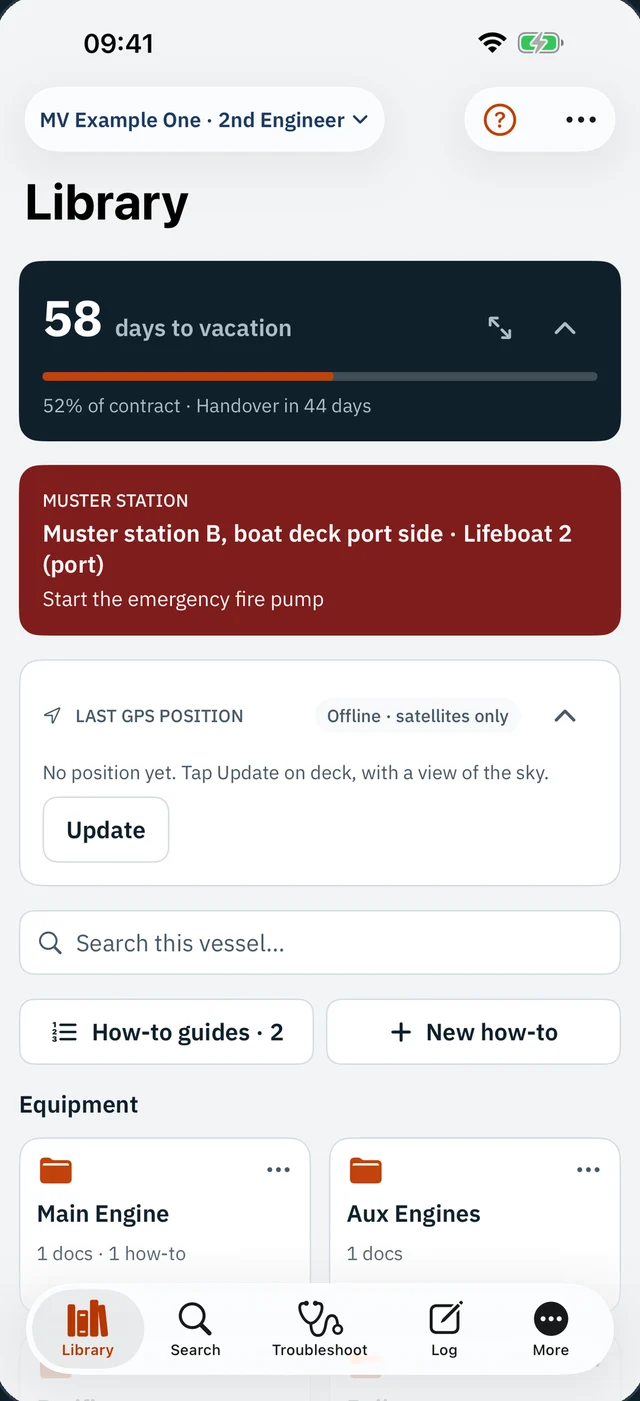
No signal for weeks. The manual is 500 pages deep, or in the office ashore. The engineer who knew this plant signed off in May. You have a torch, a phone and a question.
VesselRef is the page you need, already in your pocket.
03:12:07ALARM A-214 · LO INLET PRESSURE LOW
03:12:09signal ......... none
03:12:10manual ......... 512 pages, in the ECR
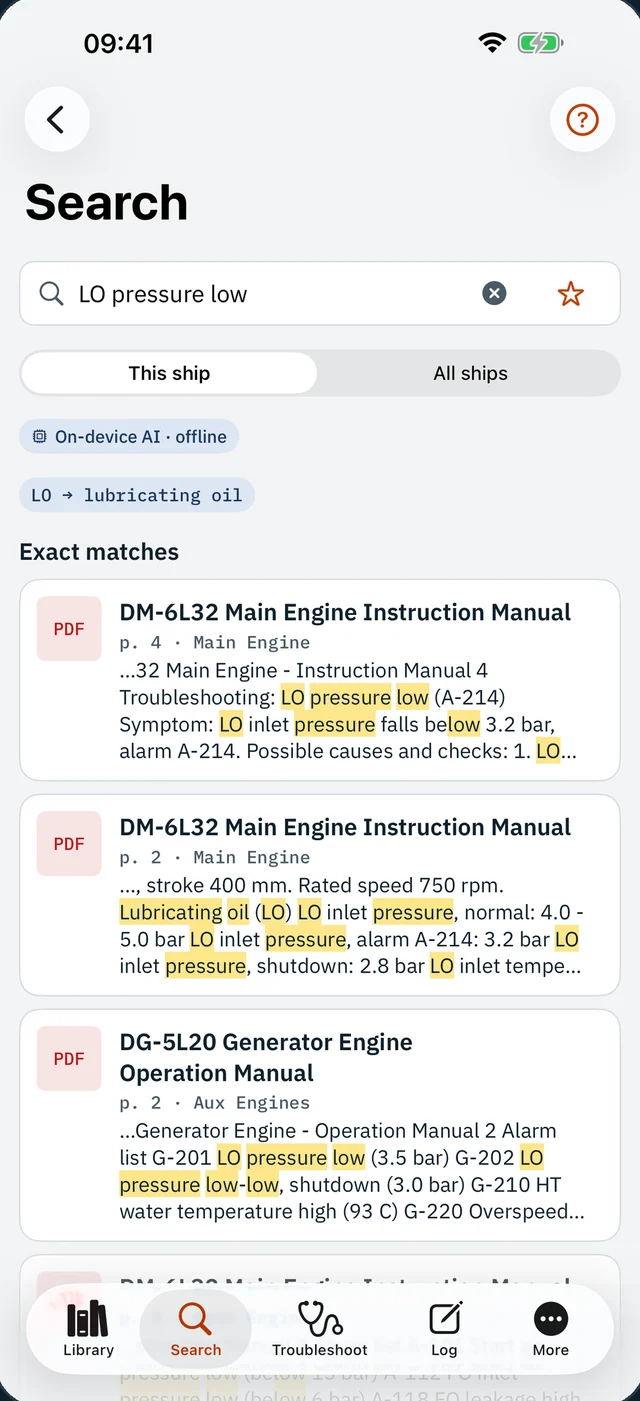
03:12:15VesselRef › LO pressure low
03:12:16✓ DM-6L32 Instruction Manual · p. 4 troubleshooting
p. 2 alarm 3.2 bar · shutdown 2.8 · normal 4.0–5.0
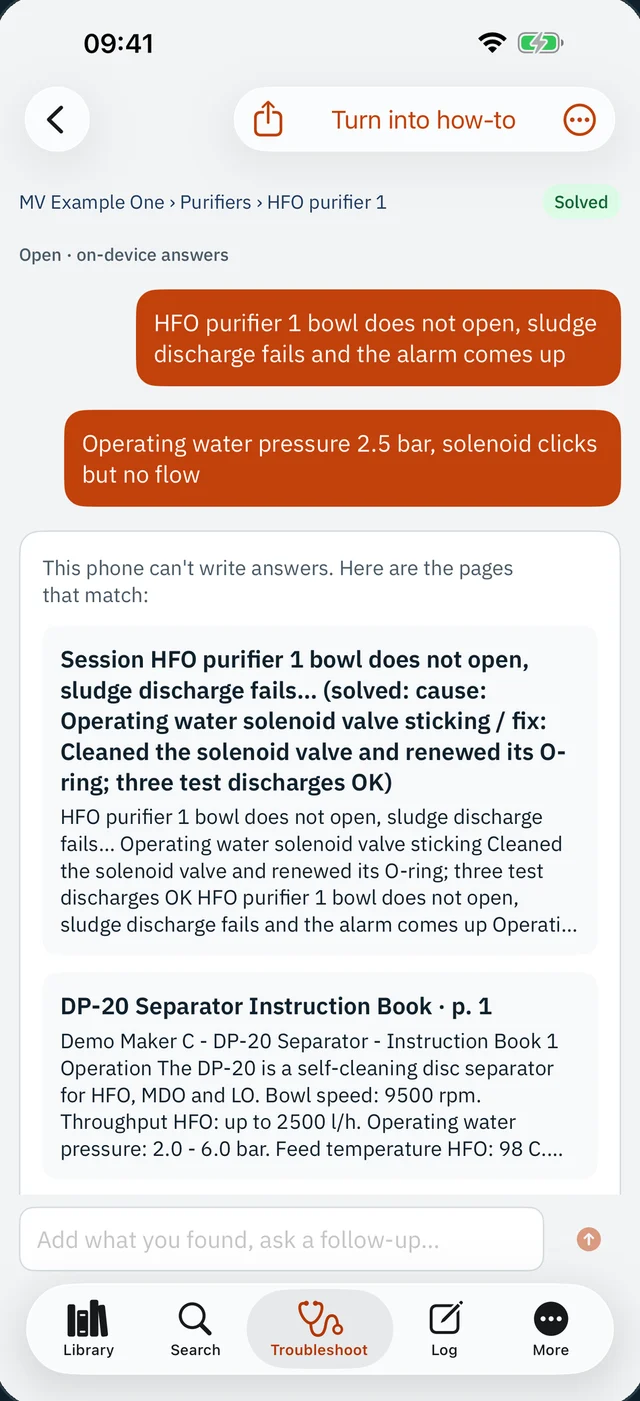
03:12:16✓ Seen before: filter ΔP high → changed over, OK
03:12:17it finds the page. you make the call.
Cloud apps spin, search engines are out of reach, and the maker's portal needs a login you can't reach.
Paper in the ECR, a PDF on the office drive, the troubleshooting chapter nowhere near the alarm list.
The fix lived in someone's head. Next time the same purifier fails, you start from zero.
Four months of work, rebuilt from memory and a notebook at 2 a.m. with your bag half packed.
Numbers scribbled on a rag, typed into the PMS days later — if they survive the laundry.
Crossing off squares in the cabin, doing contract maths in your head.
From the first alarm to the last handover. Scroll through it.
Scan printed pages and drawings at full camera resolution, or import PDF, Word, Excel and PowerPoint. Everything lands in a folder per equipment — main engine, generators, purifiers, boiler.
Type it the way you say it on board. VesselRef knows LO is lubricating oil, finds the alarm number, the part number and the meaning — across every manual you carry.
Name the equipment, tell it what you see. You get likely causes, checks and the pages behind them — plus every fault solved before on this unit, with what fixed it.
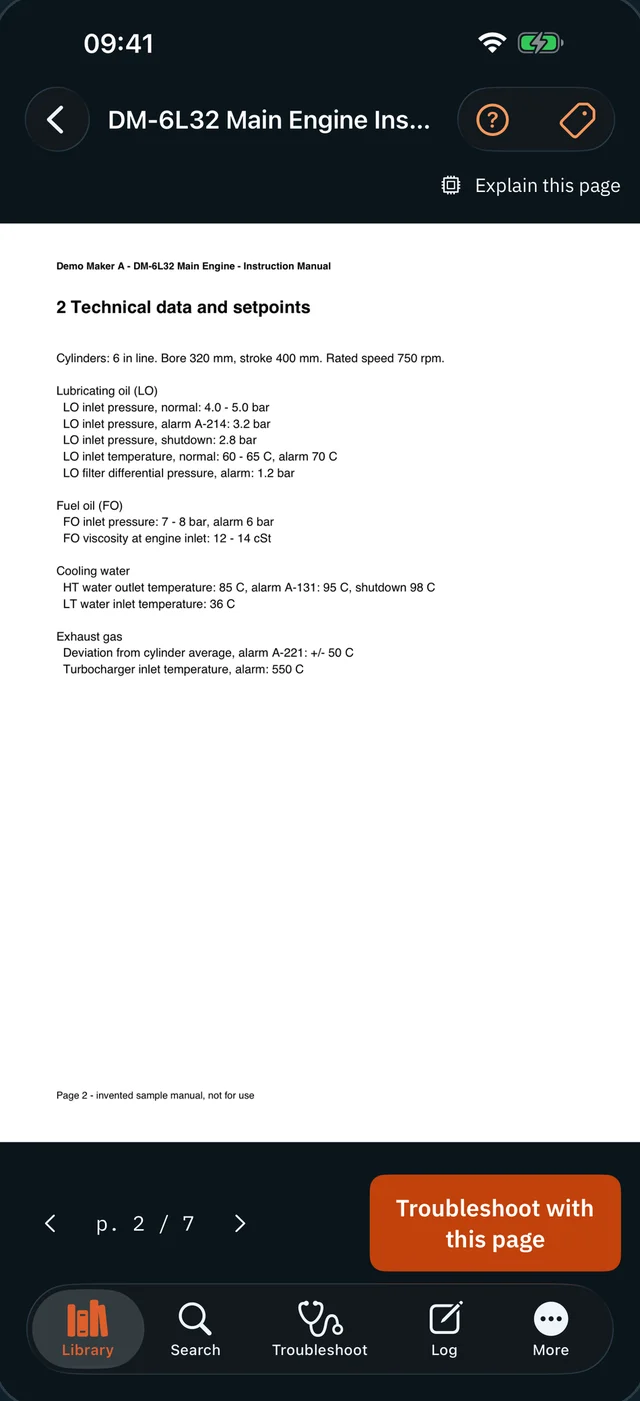
Setpoints, pressures and limits are never retyped by a machine. You see the maker's own page, exactly as printed — and judge it yourself.
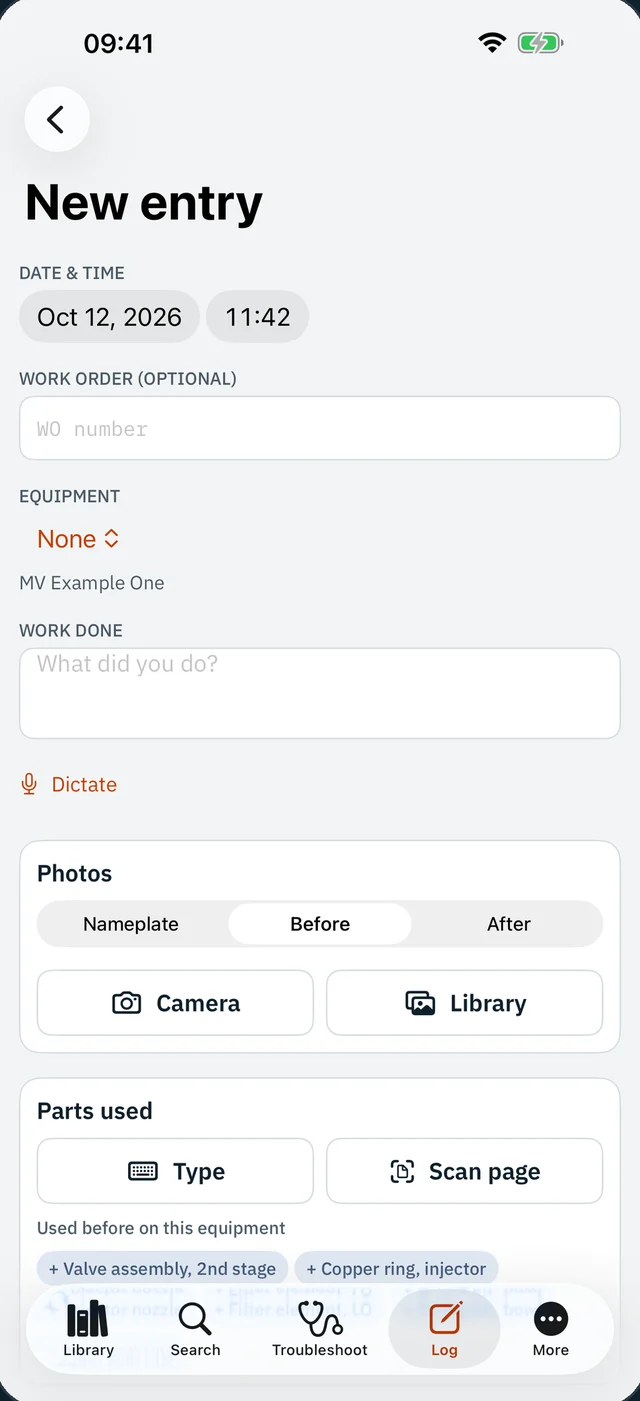
Say what you just did. It is transcribed on the phone, equipment and parts are suggested, the recording is kept with the entry. Photos of nameplates, before and after.
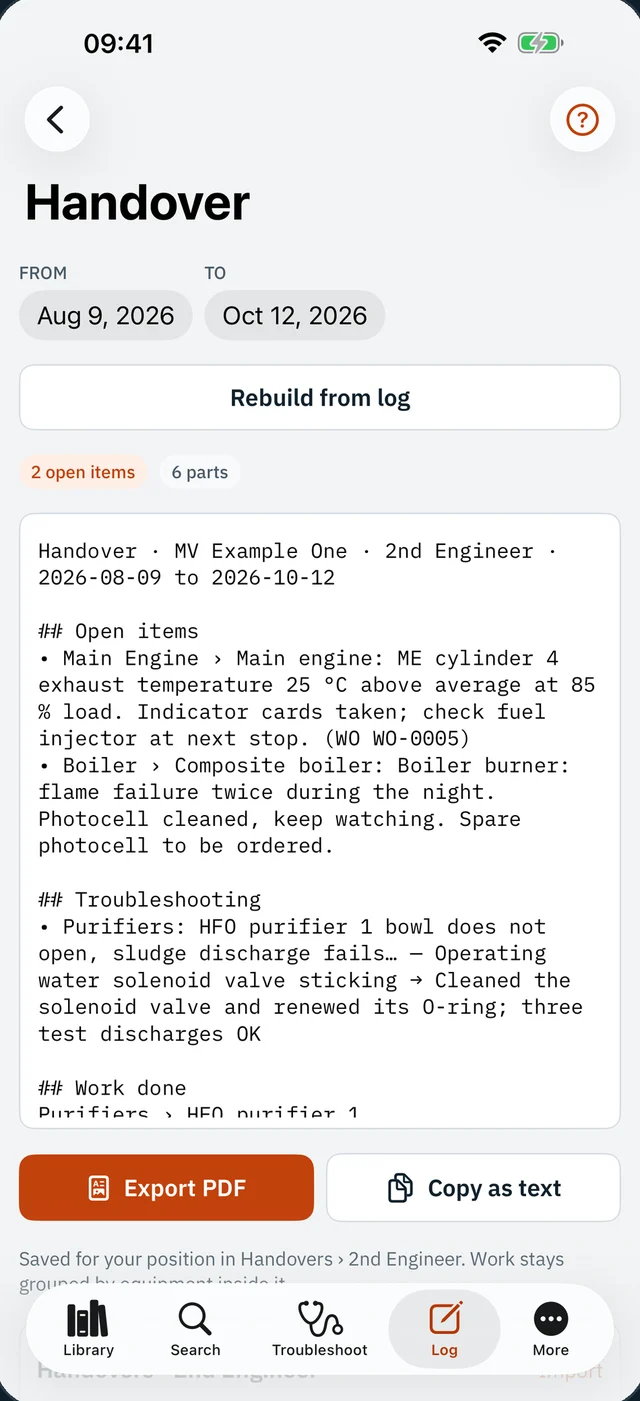
Your log, parts and troubleshooting over the contract dates, grouped by equipment — ready to edit and send as PDF. The one you receive is searchable too.
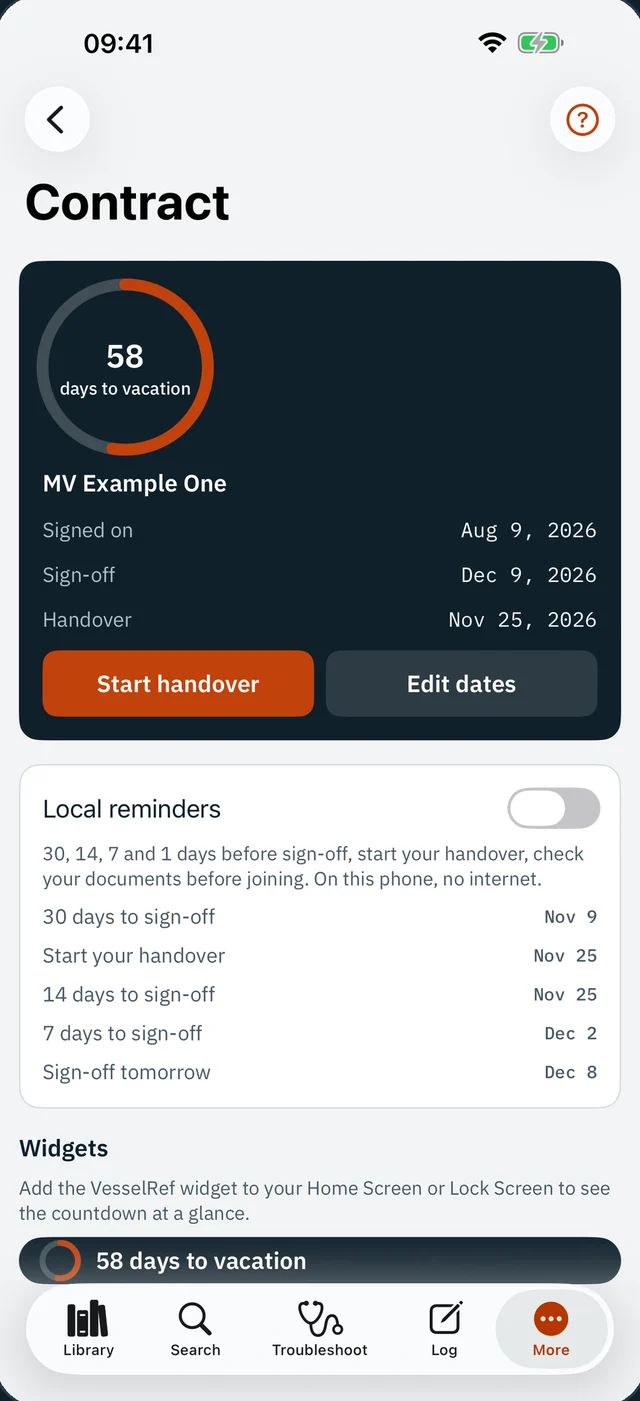
Sign-on, sign-off, leave and next joining. Widgets on the home screen and Lock Screen, and a reminder before the day.
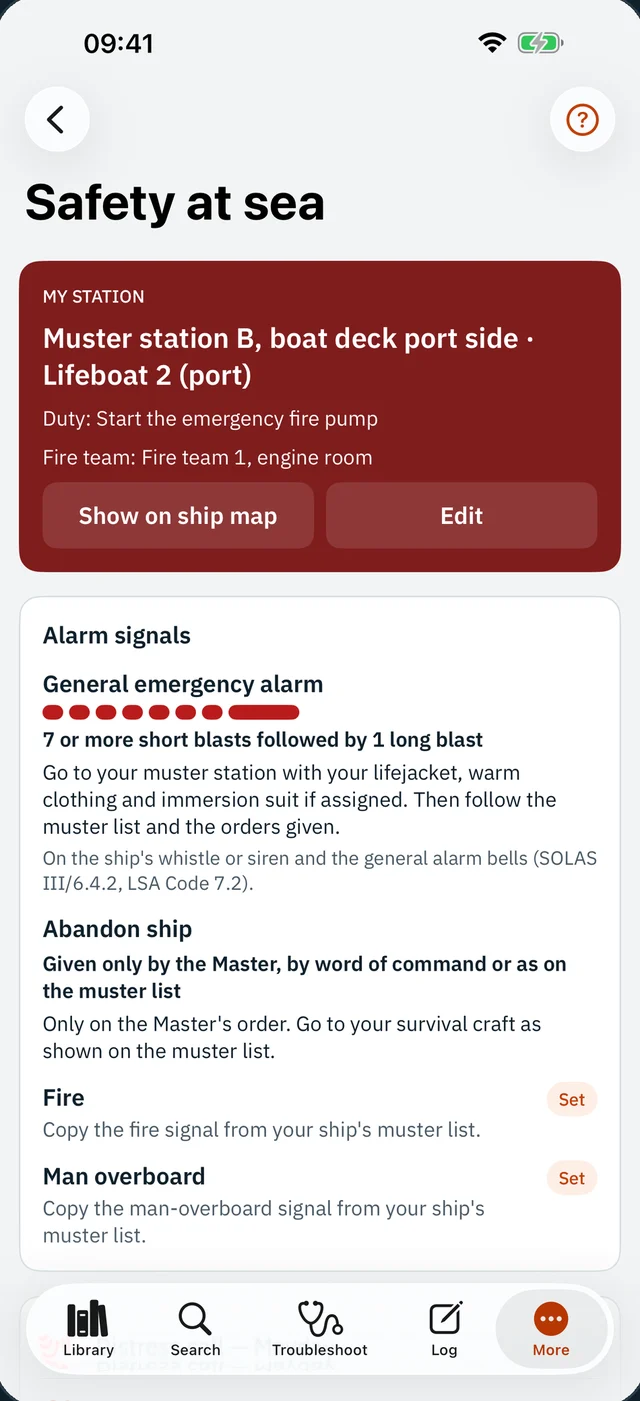
Your muster station, lifeboat and duties, alarm signals, and a Mayday script already filled with your vessel's name, call sign, MMSI and GPS position.
Your company's manuals and your own notes never leave the phone. Not to us, not to a cloud, not to anyone.
VesselRef has no INTERNET permission. Look at the permission list on Google Play — it isn't there.
Apple's privacy label says it plainly. Moving to a new phone? An encrypted backup file you keep.
Edges found for you, a loupe for the corners, full camera resolution.
PDF, Word, Excel, PowerPoint, images, text. 300 MB manuals too.
Your own procedures, step by step with photos, exported as PDF.
Deck plans with pins for machinery, fire stations, lifeboats, stores.
Passwords and PINs behind Face ID. Never searched, never in a handover.
Share equipment folders between sisters. One copy, both ships.
Dictate log entries and steps. Transcribed on the phone.
Move to a new phone — Android or iPhone — with one file.
You'd find out anyway, so here it is up front. Search works on every phone; written answers need a phone with on-device AI.
iPhone 15 Pro and later with Apple Intelligence on, iPads with Apple Intelligence, and Android phones with Gemini Nano (Pixel 9 and newer, Galaxy S25 class).
Any iPhone on iOS 26, any Android 10 or newer. The same app, the same features — the matching pages instead of a written summary.
Either way, setpoints and values are always shown as the page itself. It finds the page; you make the call.
Every feature, for every engineer. If it saves you a night, you can keep it going — optional support that buys the developer's attention, not features.
“I spent years as an ETO with a torch in one hand and a phone with no signal in the other. This is the app I wanted on every one of those nights.”— the developer, a marine electrical & automation engineer turned app developer
Vessel Reference runs the same idea on a server aboard: the whole ship's documentation, handovers and spares register, for the whole crew, with nothing leaving the vessel.
On your phone, and only there. Every manual, scan and note is a real file in the app's folder — you can see it in the Files app, organised by vessel and equipment. Secrets sit in the phone's own Keychain or Keystore.
No. There is no account, no server and no sync — there is nothing for anyone to look at. Things leave the phone only when you share them yourself: a PDF, a CSV, a backup.
Follow your company's policy on documents. VesselRef keeps them on your phone only and never uploads them anywhere, and sharing a page shows a reminder about that policy.
Make an encrypted backup to Files or a USB stick, and restore it on the new phone — iPhone or Android. Without a backup, your data is gone with the phone, because no copy exists anywhere else.
There is no AMOS connection. Parts used are logged with their AMOS numbers and exported as CSV, ready to enter into AMOS or your planned maintenance system.
It finds the page and shows what was done before. It is built for qualified engineers: you read the page, you make the call. Values are always shown as the maker's own page, never retyped.
Because it should be in every engineer's pocket. It is made by the team behind Vessel Reference, the on-board system for fleets, and kept going by engineers who choose to support it.
Install it on shore Wi-Fi in two minutes. Then never need a signal again.